FIELDMOSAIC DEMO
See how an inspection becomes a report.
Explore a fictional scenario in your browser: from the customer and job to visits, findings and a Word report.
No account needed. Actions in the demo are not saved.
What you can try
Explore the scenario at your own pace. Use the guided steps to follow the links between records and prepare the report.
Customers and jobs
See how a job stays linked to the right customer and site.
Visits, sites and areas
Explore the areas of a visit and compare visits within a job.
Findings
Try recording a finding, its severity and a recommendation.
Photo evidence
Link a photo to a finding. The sample images are fictional.
Checklists
Answer checklist items and see how they connect to findings.
Word reports
Select completed visits and walk through preparing an editable report.
The demo simulates report preparation: it does not generate or download a real Word file. Photos selected on your device stay in your browser; no action creates records in the application.
One job. Its context and versions together.
These real captures show a FieldMosaic test organisation with fictional data. The captured QA interface is in English; the separate interactive scenario is available in Portuguese and English.

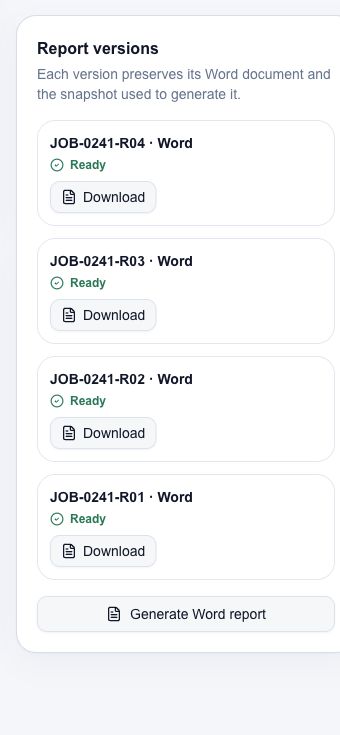
The workflow in five images
A visual selection from the fictional demo scenario. Silent; this is not a video. Use the controls to advance or pause.
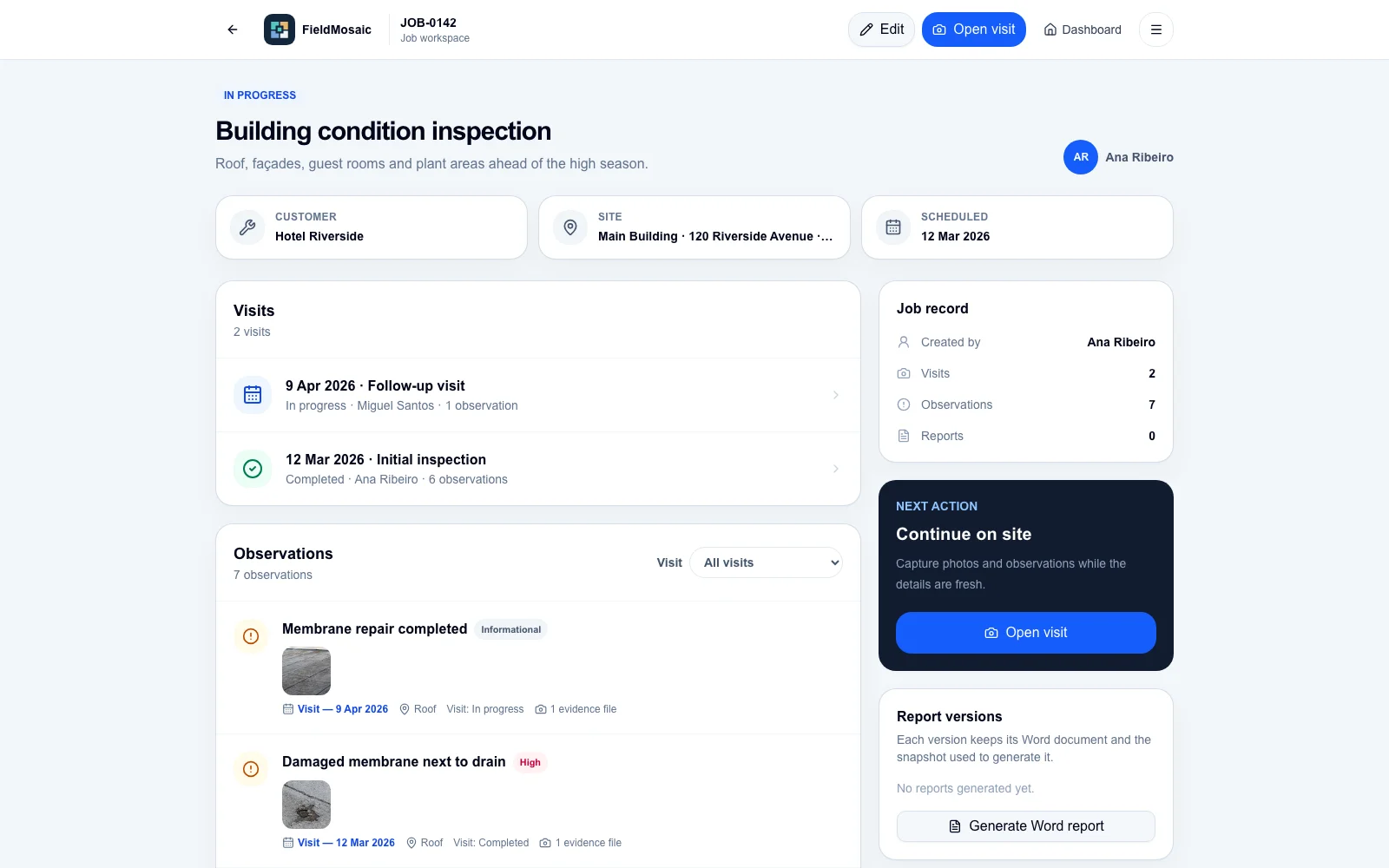
Keep every visit with its job
1/5Ready to evaluate the workflow with your use case?
Request a 14-day private evaluation with Starter limits. Each request is reviewed before an account is activated. No purchase or automatic subscription.